
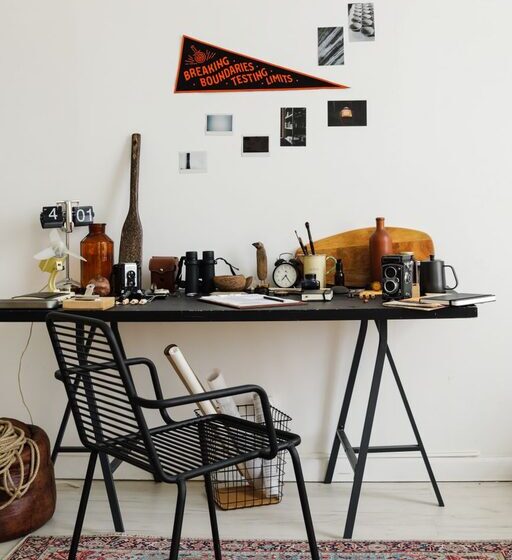

Creating a comfortable and inspiring workspace doesn’t always require hours of effort or a complete makeover. Sometimes, just ten minutes is enough to give your area a fresh look and boost your productivity. Whether you work from home or an office, a quick workspace refresh can help clear your mind and increase focus.
In this guide, we’ll walk you through easy, actionable steps to refresh your workspace in just ten minutes.
Why Refresh Your Workspace?
Your environment greatly impacts your mood and work efficiency. A cluttered or uninspiring space can lead to distractions and reduce motivation. Regularly refreshing your workspace helps maintain a positive and organized atmosphere that encourages creativity and effectiveness.
What You’ll Need
Before you start, gather a few basic items to make the process smoother:
– A trash bag or bin
– Cleaning wipes or a cloth
– A small organizer or tray (optional)
– A timer or phone to keep track of time
Step-by-Step Workspace Refresh in Ten Minutes
Minute 1-2: Clear Away Trash and Unnecessary Items
Start by quickly removing any trash—wrappers, notes you no longer need, or empty cups. Toss these into your trash bag or bin. This first step immediately reduces visual clutter and helps you see your workspace clearly.
Minute 3-4: Put Away Unused Items
Look around your desk for items that don’t belong or that you rarely use, like extra stationery, old papers, or gadgets. Put these away in drawers, shelves, or storage containers. This keeps your desk surface clear and focused only on essentials.
Minute 5-6: Wipe Down Your Desk Surface
Using cleaning wipes or a damp cloth, quickly clean your desk surface, keyboard, mouse, and monitor screen (check your device’s cleaning instructions beforehand). A clean workspace feels fresher and can improve hygiene, especially if you spend hours working there.
Minute 7-8: Organize Your Essentials
Arrange your regularly used items—pens, notebooks, phone, and any tools—in a neat, easy-to-reach order. Consider grouping similar items together or placing them in a small organizer tray to avoid clutter build-up.
Minute 9: Add a Personal Touch
A quick refresh is also about making your space feel inviting. Add a small item you enjoy, such as a photo, a plant, or an inspirational quote. These little touches can boost your mood and make your workspace uniquely yours.
Minute 10: Final Check and Adjust Lighting
Glance over your desk and chair setup to ensure everything is comfortable and ergonomically friendly. Adjust your chair height, screen position, or lighting if needed. Good lighting reduces eye strain and enhances focus.
Extra Tips to Maintain a Fresh Workspace
– Daily 2-Minute Tidy: Spend a couple of minutes each day doing a quick declutter to prevent mess buildup.
– Cable Management: Use clips or ties to keep cords organized and out of the way.
– Use Vertical Space: Shelves or wall organizers can free up desk space.
– Digital Cleanup: Regularly organize your computer files to reduce digital clutter.
Conclusion
Refreshing your workspace doesn’t have to be a time-consuming task. With these simple steps, you can create a cleaner, more organized, and inspiring environment in just ten minutes. Try incorporating this quick refresh into your routine to enjoy a productive and pleasant workday.